Onboarding with TaxStatus
Your go-to hub for getting started — videos, email templates, success stories, and everything else you need.
Step-by-step videos to get you up and running.
Accessing and sending your unique client consent link
Viewing the client financials, planning strategies, and tax records
Copy a template, add your consent link, and send.
Every email you send is a chance to uncover hidden accounts and deepen client relationships.
Step-by-Step Guide
View your own financials, subscribe, setup your team and get your client consent link
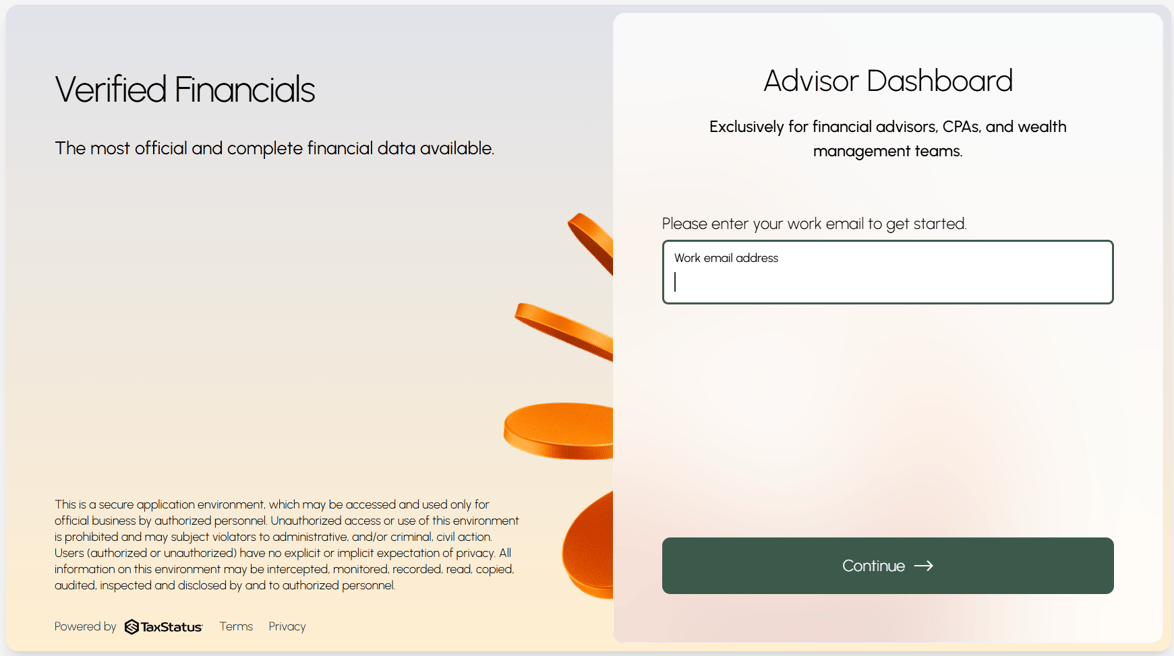
- Go to secure.taxstatus.com to sign in with your work email address.
- Direct all team members to this link to sign in.
- At each person's first login, they will be taken through an identity verification process.
- Bookmark this page to access at any time.
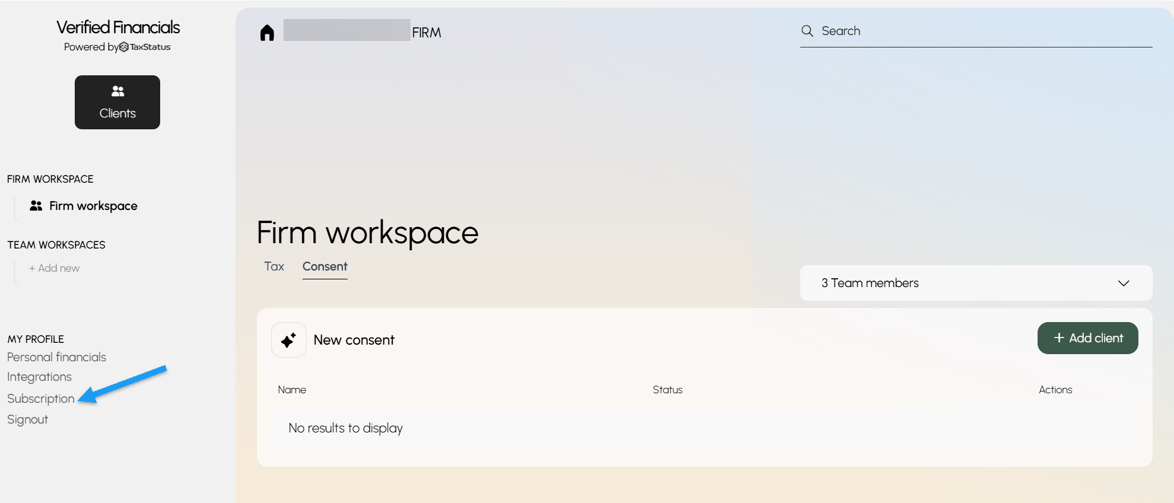
- Subscribe to the plan that best meets your needs.
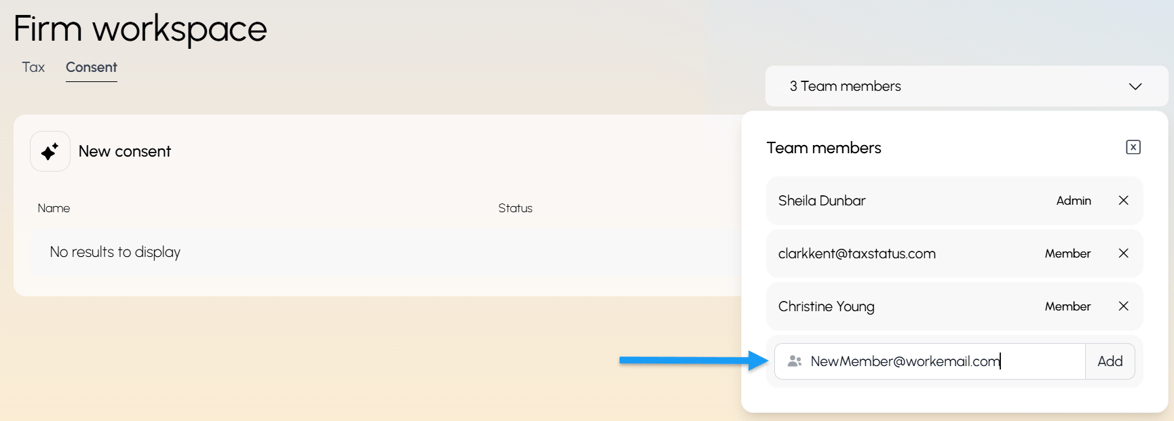
- Use the dropdown menu on the right to add team members.
- Type in their work email and click "Add". If they are set as an Admin, they can add/remove team members from this workspace.
- Tell your team members to log in at secure.taxstatus.com — the system will change their profile to their first and last name.
- Note: We will not send any notification to your team members. All team members have access to view the firm workspace and all client accounts. If someone needs their clients kept separate, they can create their own team workspace.
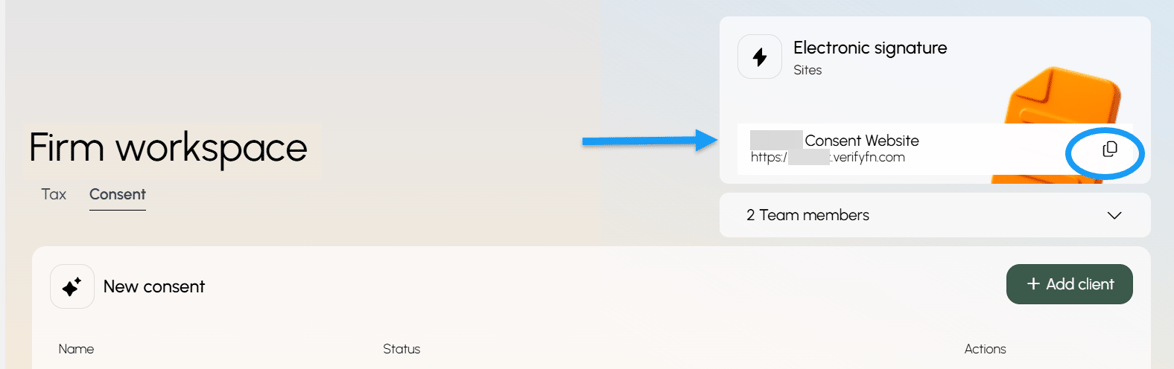
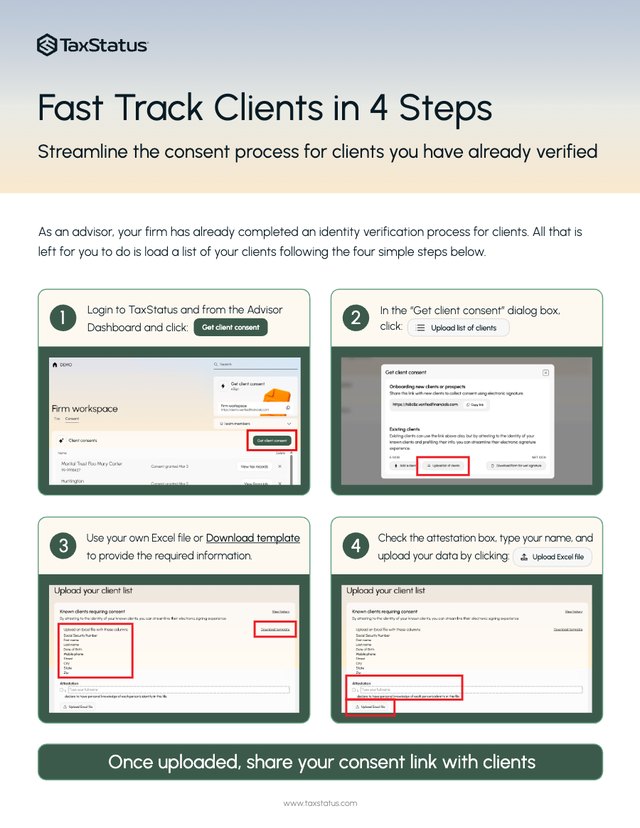
- Copy the Client Consent Link and send it to your clients.
- With their permission, you can uncover their IRS-sourced financials and help them plan with confidence.
- If the Consent Link does not appear here, click "Add client" and enable the link.
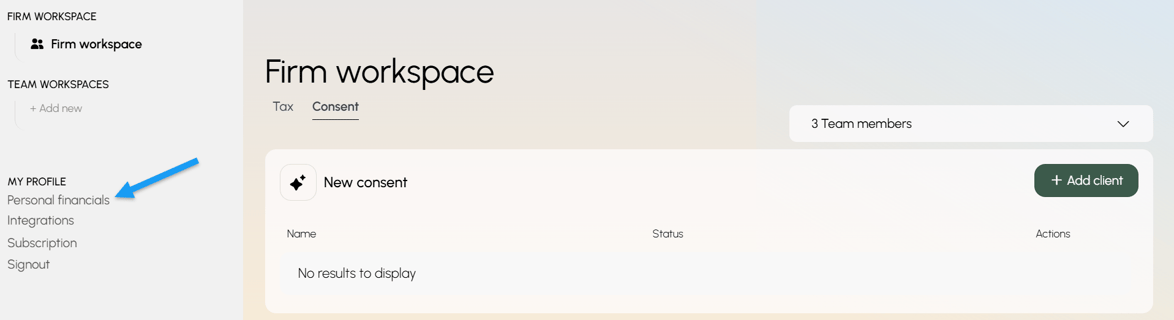
- Verify your own private financials.
- The best way to experience exactly what you'll see once a client consents to share their IRS-sourced financial data with you.
- After providing consent, the status will display the date when verified financials are expected (typically 3–5 business days).
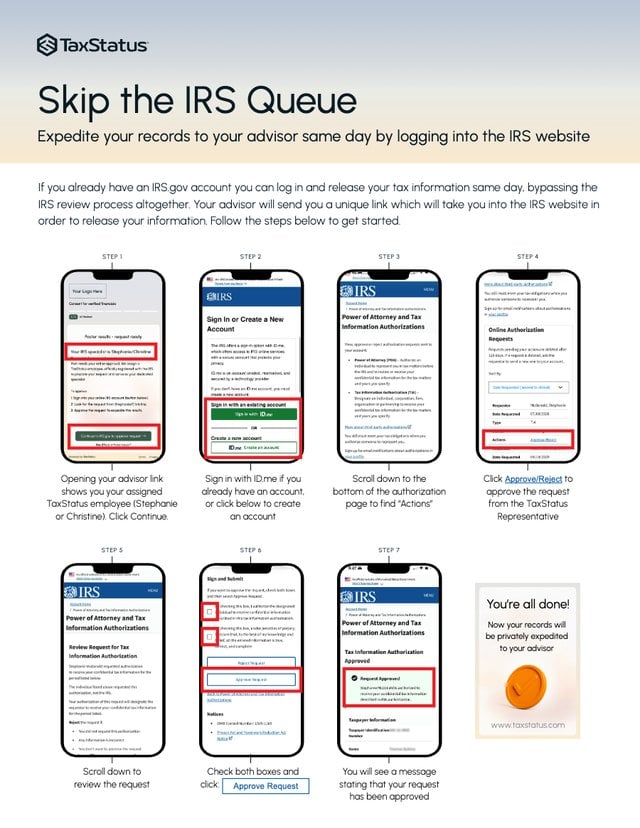
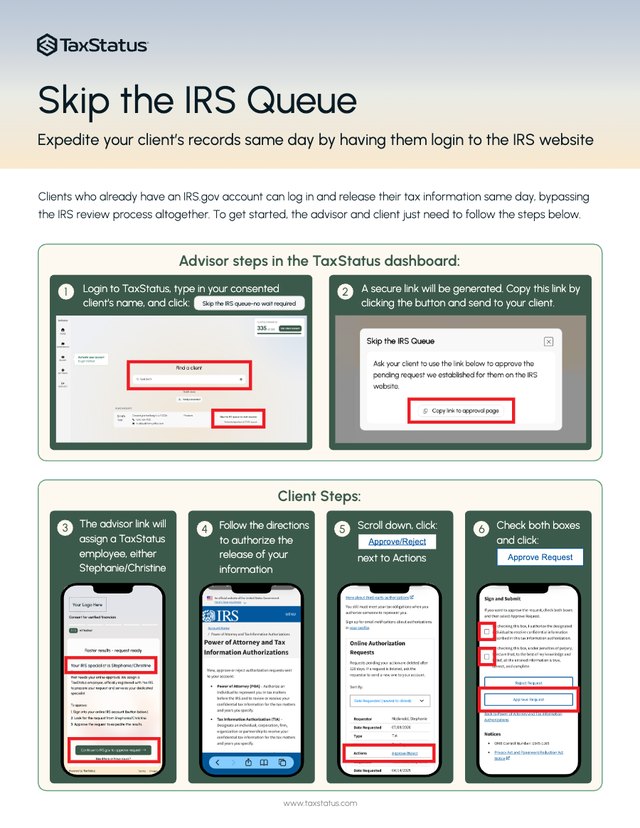
- You will also have the option to skip the queue and FastTrack the release of your information.
What advisors find when they have a complete picture — starting with one consent link.
Three conversations. $3M in new AUM.

The $85,000 she forgot she had
While onboarding the daughter of an existing family, an advisor surfaced two forgotten IRAs totaling $85,000 — complete with full custodian detail. What started as a standard check-in became one of the more valuable conversations of the client relationship.

Payments confirmed. New referrals follow.

An inheritance she never knew she had.
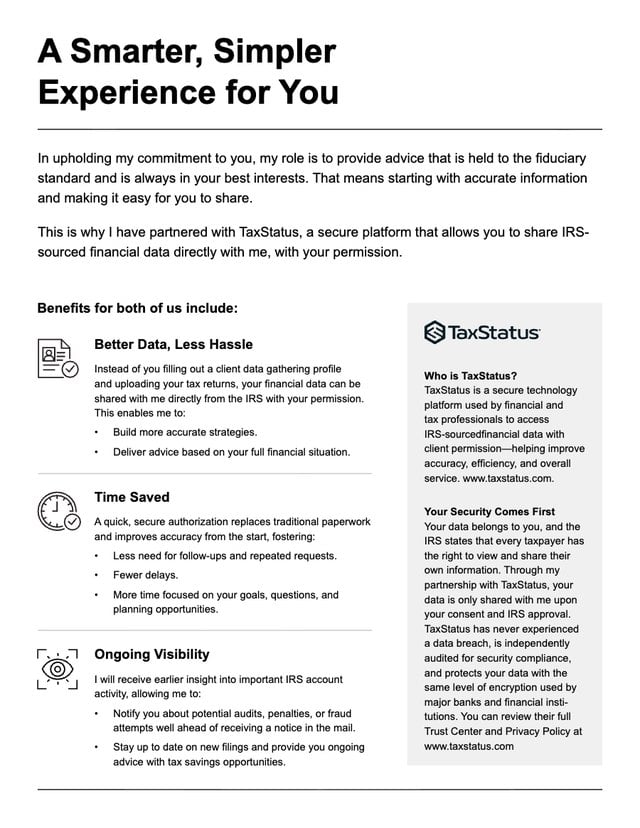
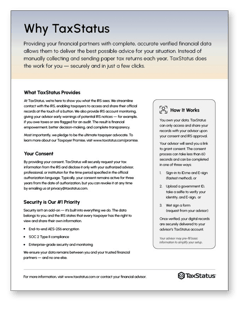
Why TaxStatus Overview (for clients)
Use this one-pager with current or prospective clients to clearly explain:
- What TaxStatus provides
- How the consent process works
- The benefits of clients providing their consent
- How client data is protected


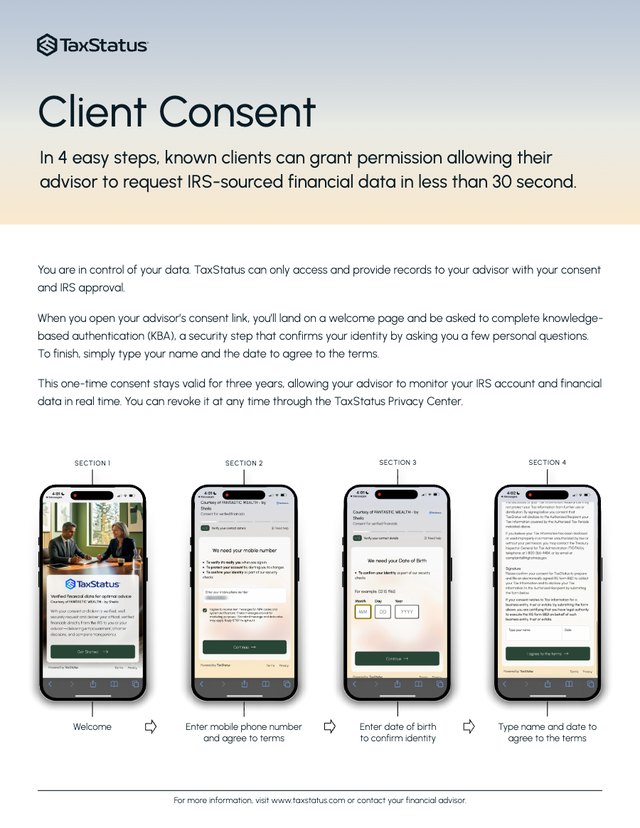
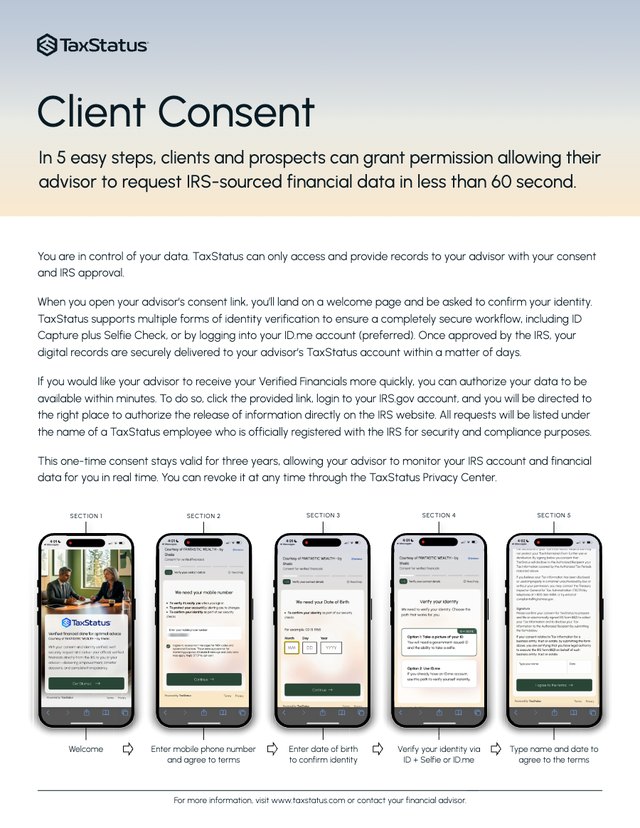
The Client Consent Process Overview
Use this one-page guide with current or prospective clients to visually demonstrate the 4 steps of the client consent process through mobile screenshots.

White Labeled Client Benefits Overview
Brand this one-pager with your logo and present to current or prospective clients to explain the benefits of sharing their IRS-source financial data with you.
Enabling advisors to deliver superior advice with frictionless access to verified financial data.
Copyright © 2025, TaxStatus